Strategies
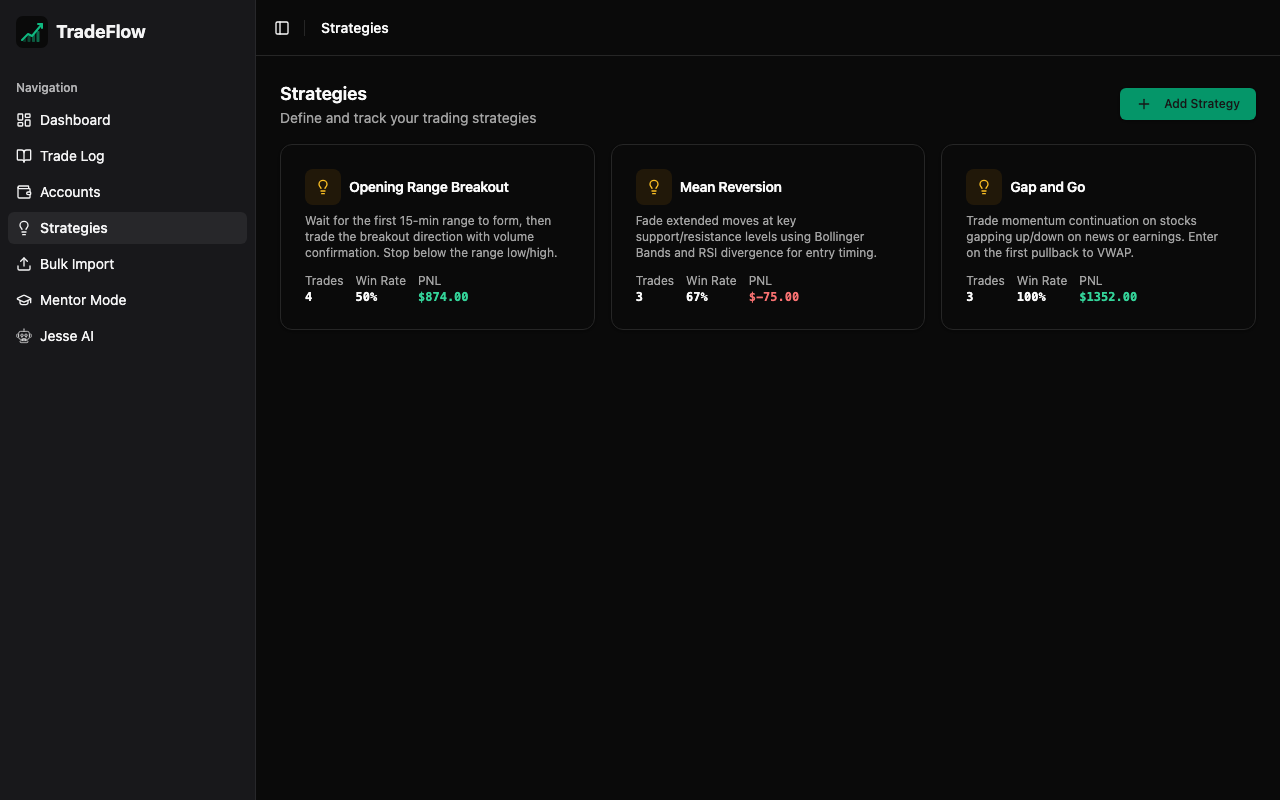
The Strategies page allows you to define and manage your trading strategies. Each strategy represents a distinct trading approach or setup that you use.
Managing Strategies
Creating a Strategy
- Click Add Strategy
- Enter the strategy name (e.g., “Breakout”, “Mean Reversion”, “Gap Fill”)
- Click Save
Editing and Deleting
- Click the edit icon to rename a strategy
- Click the delete icon to remove a strategy (with confirmation)
Warning Deleting a strategy does not remove trades that reference it. Those trades will simply have no strategy assigned.
Strategy Analytics
Each strategy card displays real-time metrics:
- Trade Count — How many trades used this strategy
- Total P&L — Net profit/loss for trades using this strategy
- Win Rate — Percentage of winning trades with this strategy
These metrics help you quickly identify which strategies are working and which need adjustment.
Using Strategies
Strategies connect to several parts of TradeFlow:
- Trade Log — Select a strategy when adding or editing a trade. Filter the trade log by strategy.
- Dashboard — The “P&L by Strategy” bar chart visualizes performance across all strategies.
- Jesse AI — The AI coach factors strategy performance into its analysis and recommendations.
- Mentor Mode — Each student has their own independent set of strategies.
Data Storage
Strategies are stored in the strategies IndexedDB table:
| Field | Description |
|---|---|
id | Unique identifier (UUID) |
name | Strategy display name |