Jesse AI
Jesse AI is TradeFlow’s built-in trading coach — an AI-powered chat assistant that analyzes your trading journal and chart images to provide personalized insights and recommendations.
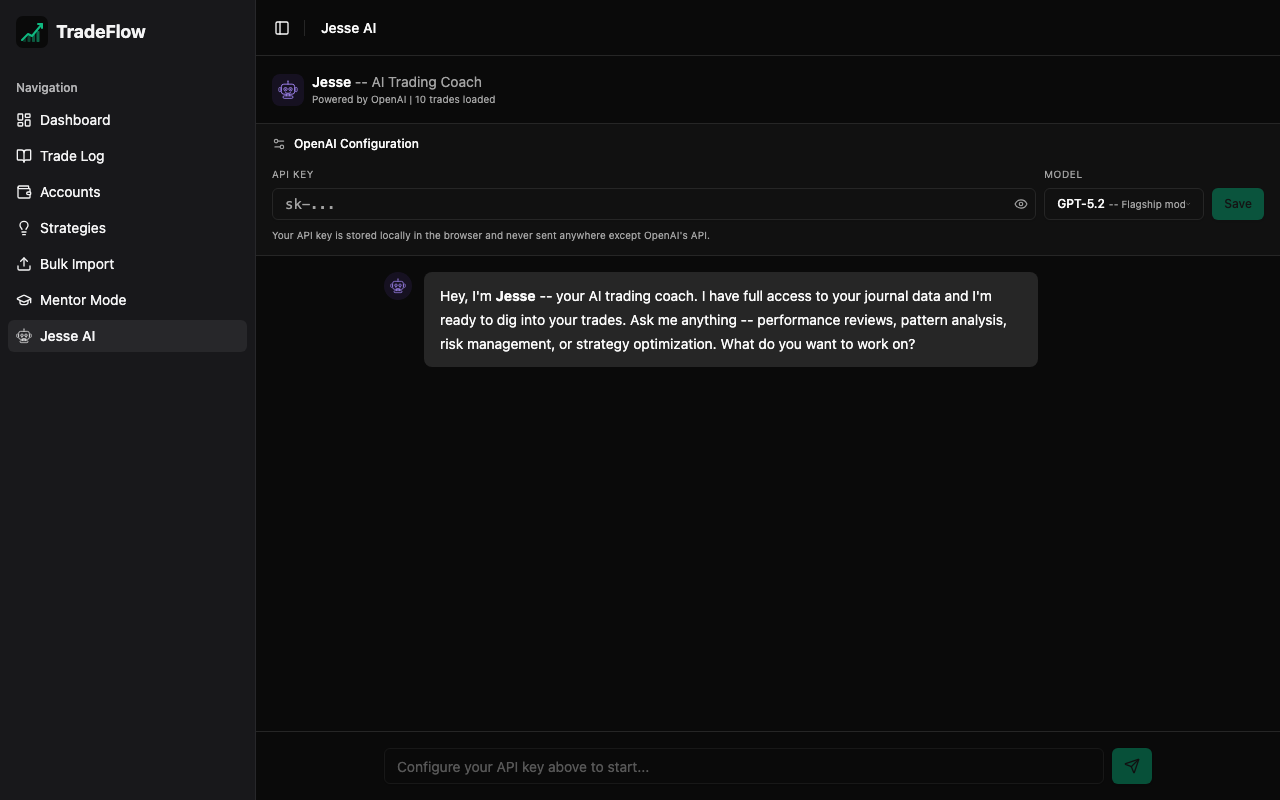
Who is Jesse?
Jesse is named after legendary trader Jesse Livermore. The AI assistant is configured with the persona of an expert stock, futures, and options trader with decades of experience. Jesse communicates in a direct, confident, and supportive style — like a senior trader mentoring a junior one.
Capabilities
Trade Analysis
Jesse has access to your complete trading journal data, including:
- All trades with entry/exit prices, P&L, fees, and commissions
- Win rates, profit factors, and streaks
- Strategy performance breakdowns
- Time-of-day and day-of-week patterns
Jesse references specific numbers, dates, and symbols from your data — not generic advice.
Chart Image Analysis
When trades have chart screenshots attached, Jesse uses OpenAI’s Vision API to analyze:
- Visible price action and candlestick patterns
- Support and resistance levels
- Volume patterns
- How your entry/exit points relate to the chart structure
Jesse correlates what the chart shows with your actual trade outcomes and timing.
Behavioral Pattern Detection
Jesse identifies common trading pitfalls:
- Overtrading — too many trades in a session
- Revenge trading — taking bad trades after losses
- Time-of-day biases — consistently poor performance at certain times
- Holding losers — not cutting losses quickly enough
- Poor risk/reward — taking trades with unfavorable ratios
Risk Assessment
- Position sizing relative to account size
- Win/loss ratio trends over time
- Drawdown analysis
- Exposure concentration (too heavily in one instrument)
Settings
Click the gear icon in the top-right of the chat panel to configure:
API Key
Enter your OpenAI API key. The key is stored locally in IndexedDB and is only sent directly to OpenAI’s API.
Model Selection
| Model | Description |
|---|---|
| GPT-5.2 | Default. Best balance of capability and cost |
| GPT-5.2 Pro | Extra compute for deeper, multi-trade analysis |
| GPT-5 Mini | Faster and cheaper for quick questions |
How It Works
- Context Building — When you send a message, TradeFlow constructs a structured summary of your trade data (recent trades, aggregate stats, strategy breakdowns) and appends it to the conversation
- Image Context — If recent trades have chart images, they are included as base64-encoded images in the API request using OpenAI’s multimodal message format
- Streaming — Responses stream in real-time, token by token, so you see the answer as it’s being generated
- Markdown Rendering — Responses are rendered with full markdown support: headings, bold text, bullet lists, numbered lists, tables, and code blocks
Example Prompts
- “Analyze my last week of trades. What patterns do you see?”
- “Which of my strategies is most profitable? Should I drop any?”
- “Look at my NQ trades — am I entering at good levels?”
- “What’s my biggest weakness as a trader based on my journal?”
- “Compare my morning trades vs afternoon trades”
- “I uploaded my chart for today’s ES trade — what does the price action tell you?”
Conversation History
Jesse maintains conversation history within the session. You can have a back-and-forth discussion, and Jesse will reference earlier messages in the conversation. The conversation resets when you refresh the page.
:::tip Getting Better Results The more trades you have logged (with detailed notes, tags, and chart images), the more specific and actionable Jesse’s analysis will be. A journal with 50+ trades and consistent tagging gives Jesse much more to work with than a handful of trades with no context. :::