Accounts
The Accounts page lets you manage your trading accounts. Each account represents a separate trading account (e.g., funded accounts, paper trading accounts, personal accounts).
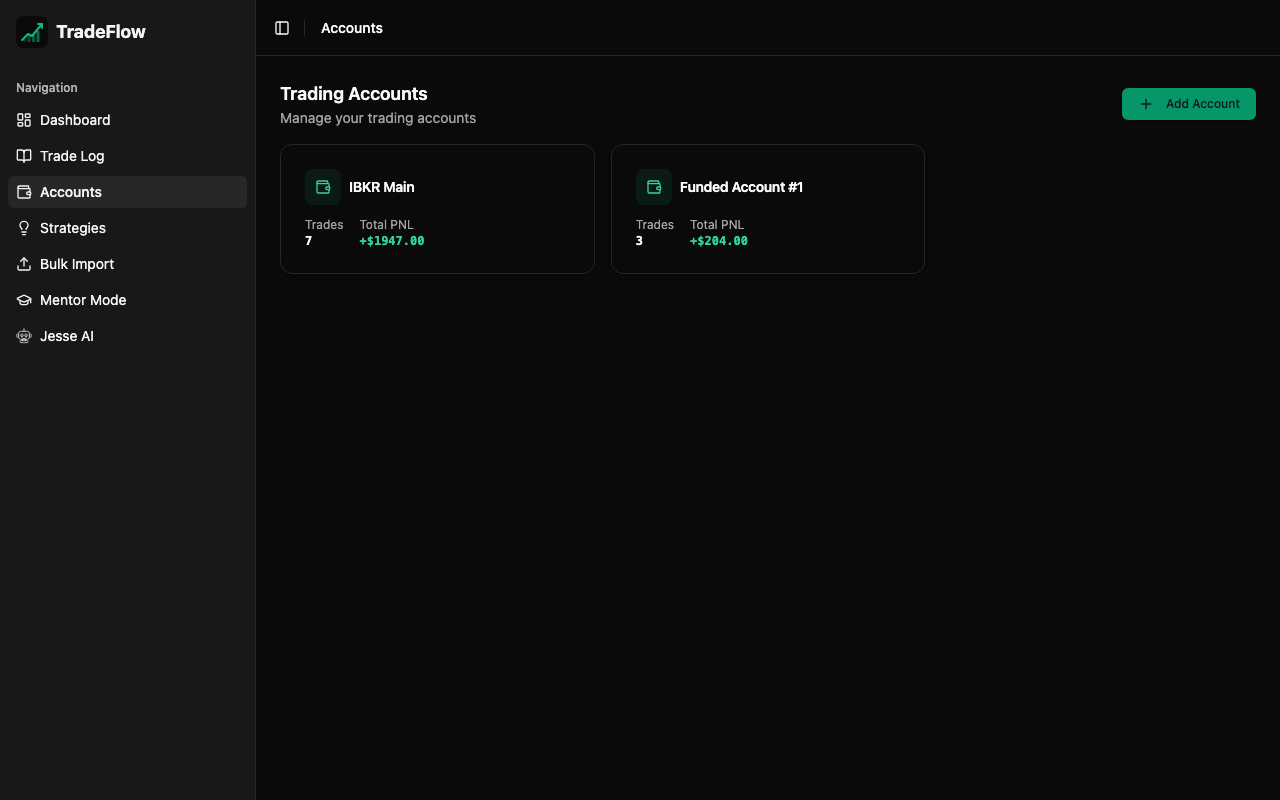
Managing Accounts
Creating an Account
- Click the Add Account button
- Enter the account name
- Click Save
Editing an Account
Click the edit icon on any account card to modify its name.
Deleting an Account
Click the delete icon on an account card. A confirmation dialog will appear.
Warning Deleting an account does not delete trades associated with it. Those trades will simply have no account assigned.
Account Analytics
Each account card displays:
- Trade Count — Number of trades assigned to this account
- Total P&L — Sum of P&L for all trades in the account
Using Accounts
Accounts integrate with several TradeFlow features:
- Trade Log — Assign trades to accounts when creating or editing. Filter the trade log by account.
- Bulk Import — When importing trades from broker CSVs, select which account to assign the imported trades to.
- Dashboard — Account data feeds into the dashboard analytics.
Data Storage
Accounts are stored in the accounts IndexedDB table with the following schema:
| Field | Description |
|---|---|
id | Unique identifier (UUID) |
name | Account display name |